How Customers Sign Up for Texts
Golden Valley Pack-n-Ship · operated by Golden Valley Shipping Solutions, Inc.
5373 US Hwy 68 Ste D, Golden Valley, AZ 86413 · 928-565-2525 · info@gvpacknship.com
In short: customers sign up in person at our store, either by telling our staff at the counter or by ticking and signing a paper form. Nobody is signed up by default, and signing up is never required to rent a mailbox or buy anything.
At the counter
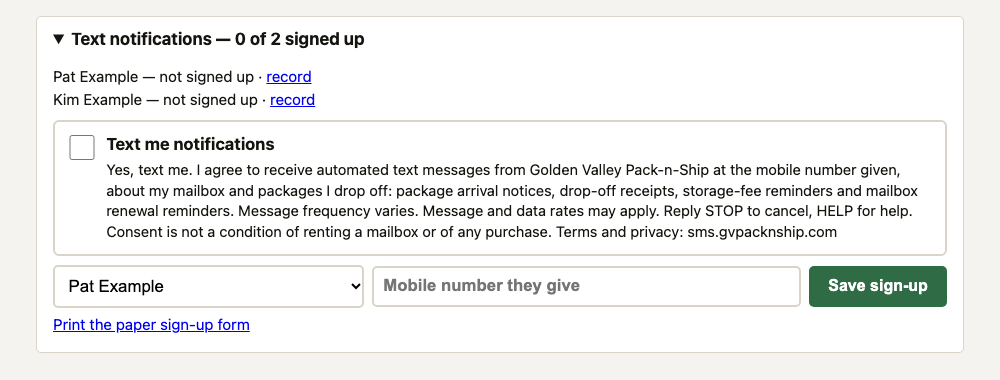
- When a customer rents a mailbox, collects a package or drops one off, our staff ask whether they would like text notices.
- The customer reads the consent statement on our screen, or staff read it aloud. It is shown in full below.
- If the customer says yes, they give the mobile number to use. Our staff type it in and tick the box. The box always starts empty, and our system will not save a sign-up without it.
- Our system records the customer's name and mailbox, the mobile number, the date and time, that consent was given at the counter, the exact wording agreed to, and the staff member who recorded it.
- The customer's first text is a confirmation that repeats how to get help and how to stop.
On paper
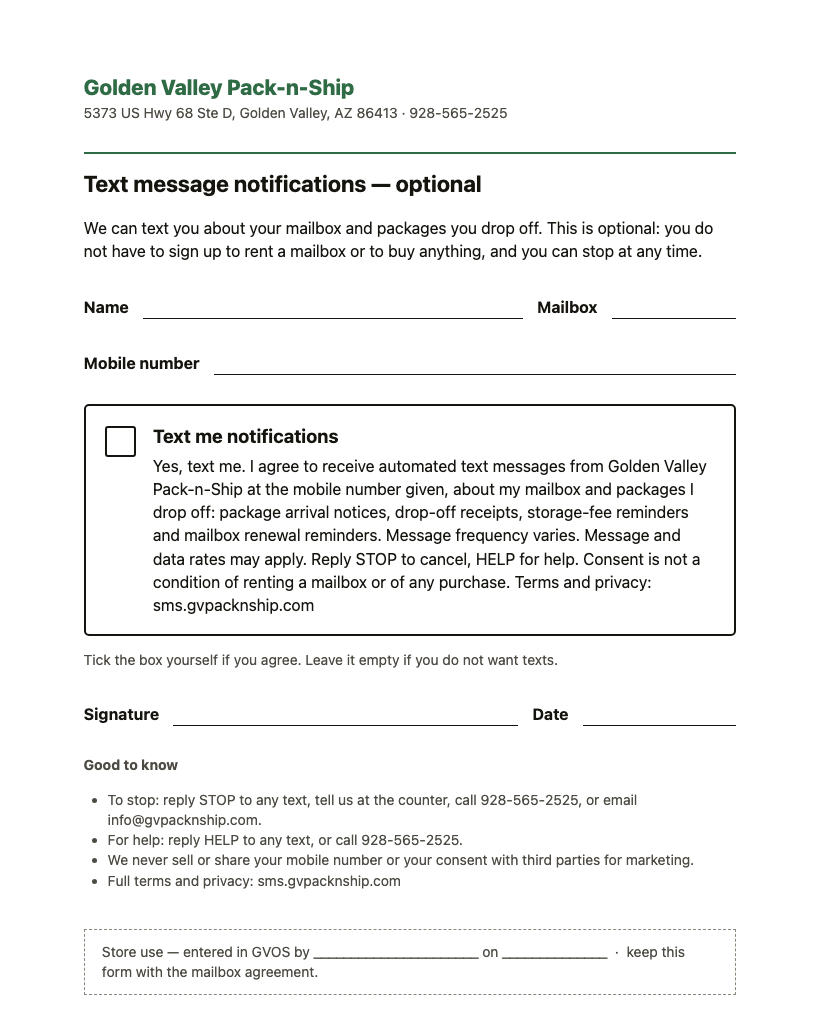
- The same sign-up is offered as a one-page form with the mailbox rental agreement.
- The customer writes their mobile number, ticks the box themselves, and signs and dates the form. Leaving the box empty means no texts.
- Our staff enter the signed form into our system, which records it as a paper sign-up with the date and the staff member's name. The form is kept with the mailbox agreement.
The consent statement
This is the wording on the screen and on the form, next to the tick box labelled “Text me notifications”:
Yes, text me. I agree to receive automated text messages from Golden Valley Pack-n-Ship at the mobile number given, about my mailbox and packages I drop off: package arrival notices, drop-off receipts, storage-fee reminders and mailbox renewal reminders. Message frequency varies. Message and data rates may apply. Reply STOP to cancel, HELP for help. Consent is not a condition of renting a mailbox or of any purchase. Terms and privacy: sms.gvpacknship.com
The confirmation text
Golden Valley Pack-n-Ship: You're signed up for mailbox text notices. Msg frequency varies. Msg & data rates may apply. Reply HELP for help, STOP to cancel.
Our own staff
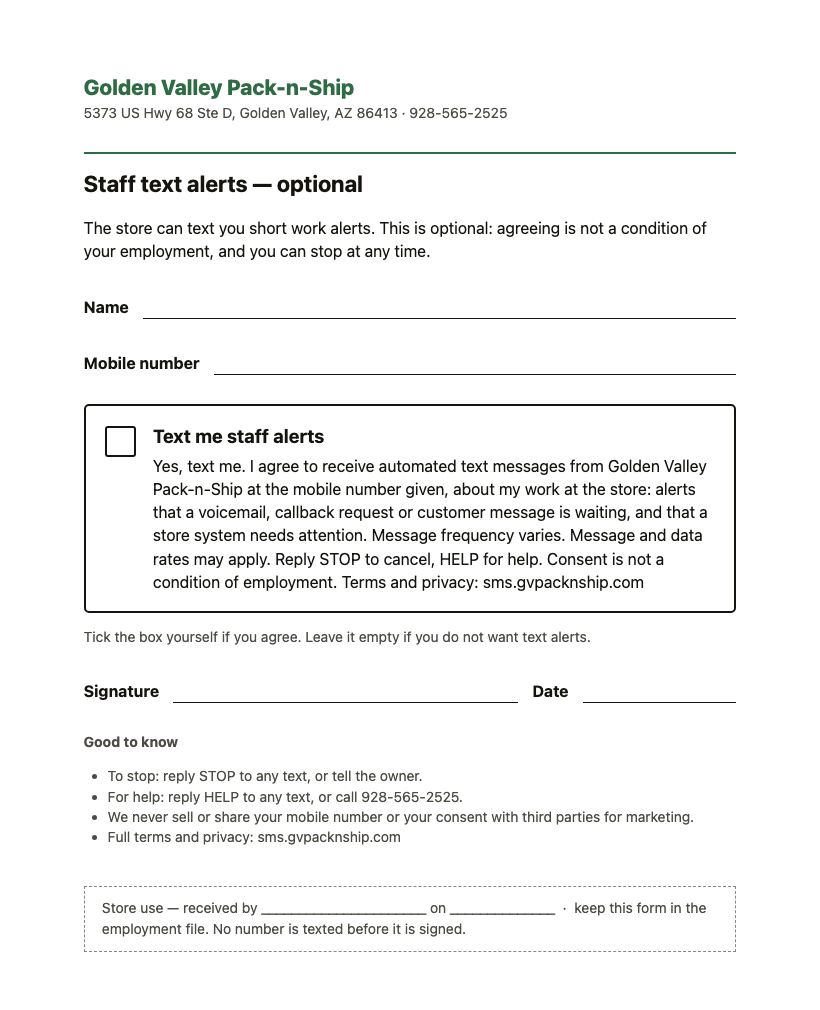
Employees who are to receive work alerts by text agree separately, on their own one-page form. They write their mobile number, tick the box themselves, and sign and date it. No employee number is texted before the form is signed, and agreeing is not a condition of employment. The wording next to the tick box labelled “Text me staff alerts” is:
Yes, text me. I agree to receive automated text messages from Golden Valley Pack-n-Ship at the mobile number given, about my work at the store: alerts that a voicemail, callback request or customer message is waiting, and that a store system needs attention. Message frequency varies. Message and data rates may apply. Reply STOP to cancel, HELP for help. Consent is not a condition of employment. Terms and privacy: sms.gvpacknship.com
Stopping
Reply STOP to any text, tell us at the counter, call 928-565-2525, or email info@gvpacknship.com. We record the opt-out and send nothing more. See our text message terms and privacy policy.
Last updated: October 10, 2026.